Sentry Configuration and Endpoint Overview
This document provides more in-depth instructions and context for configuring Sentry, a popular error tracking tool. It details setting Sentry properties in the application.yaml file, container stacks, version tracking, and introducing a new endpoint.
Configuration in application.yaml
To enable Sentry in your application, configure the following properties in your application.yaml:
api_url: The URL of your Sentry API. This URL is where your application will send error reports and other Sentry-related requests.organization: The name of your organization on Sentry. This will help Sentry categorize and manage error reports sent from your application.project: The name of your project on Sentry. Sentry will use this to further categorize and manage your error reports.environment,tokenanddsnshould be set in the Container Stacks
sentry:
  api_url: https://sentry.io/api/
  organization: my-organization
  project: my-project
You can find other Configurations in the application.yaml(Version tracking release: @project.version@)
Feedback Function
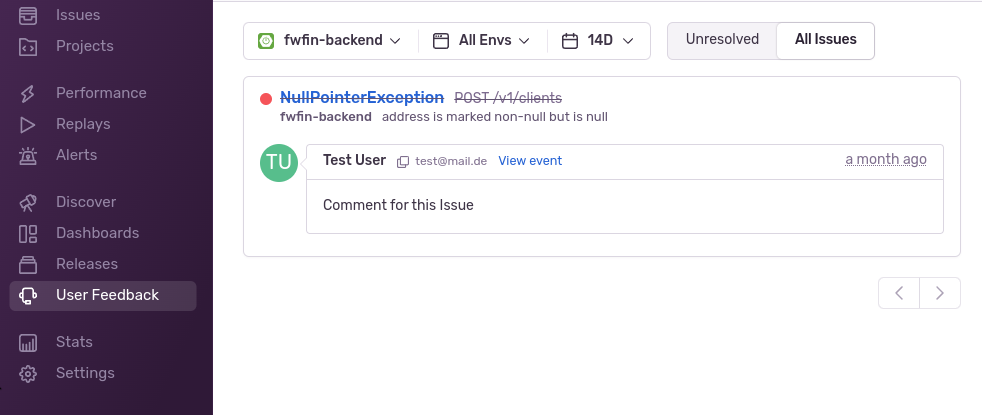
v1/sentry/feedback Post-Endpoint
- The
eventIdrefers to the Sentry Issue Id.
Input
{
  "eventId": "c3e0aefba2cd43c1b4570f96d14e14dc",
  "name": "Test User",
  "email": "test@mail.de",
  "comments": "Comment to Issue"
}
Sentry UI